May 21st, 2025
New

Trially Site Admins and Admins can now edit, remove and add custom I/E criteria!
Upload your protocol document
Wait 2-4 minutes for the AI to parse and process the document
Open the protocol in the Main page
Review the AI-parsed criteria
Edit criteria, remove unwanted criteria, and add custom criteria
Voila! Finalize your review by sending the protocol to the matching engine!
This process allows you to customize your recruiting plan before patient matching begins.
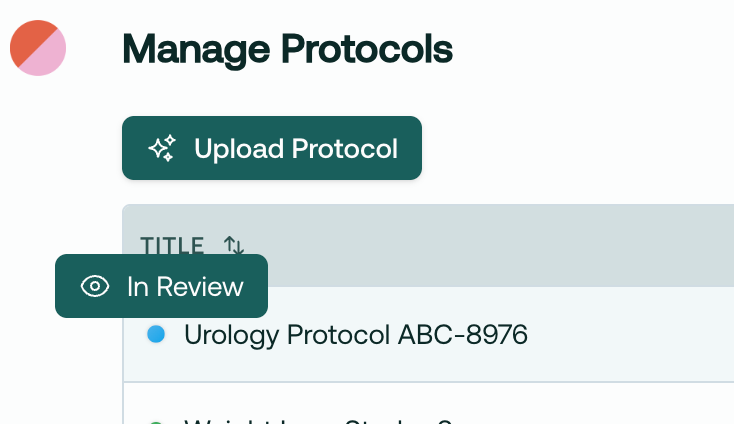
When you upload a protocol, it will take 2-4 minutes to process into the system, and then be marked as In Review:
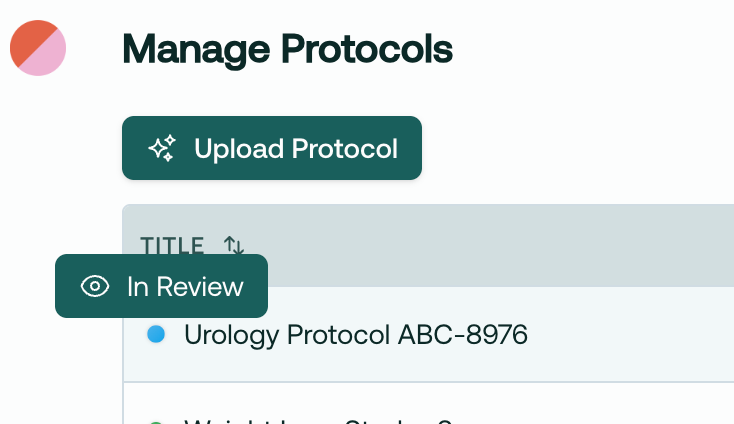
Then, simply hop over to the Main page and select this protocol. You will have the option to edit, remove, and add criteria to customize your recruiting plan on the main page.
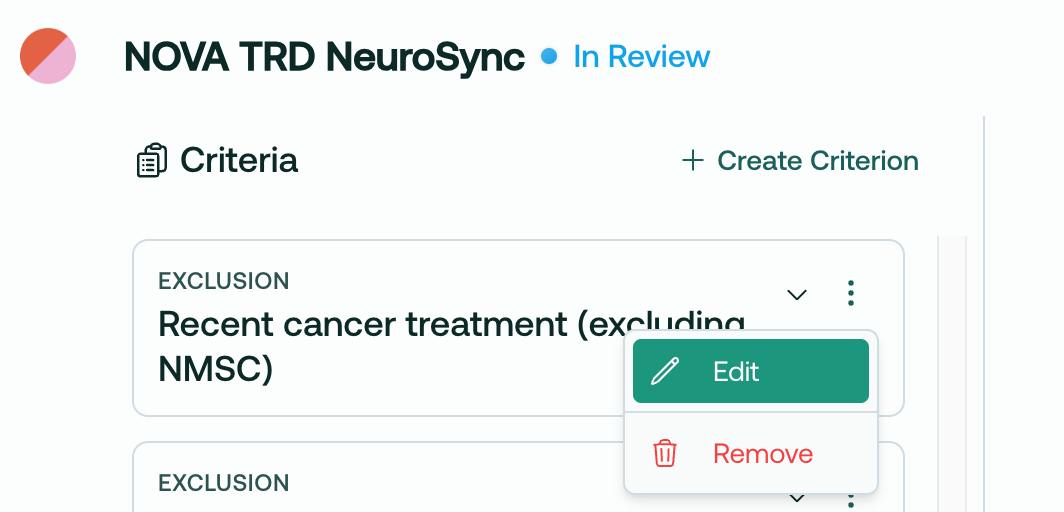
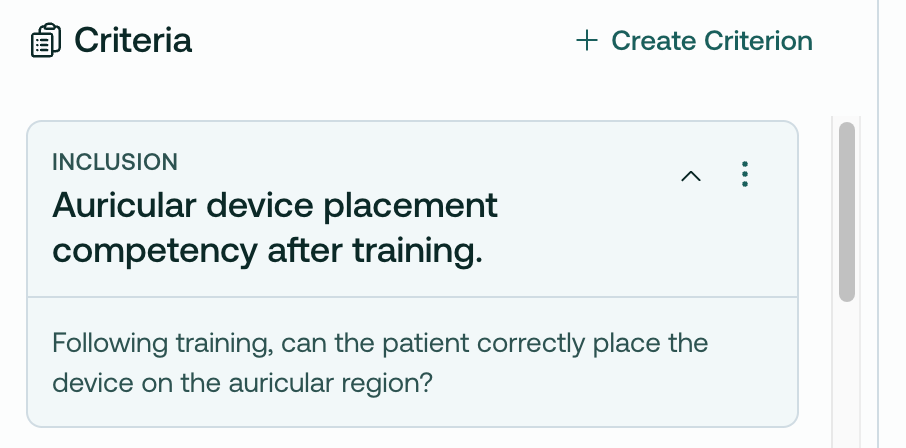
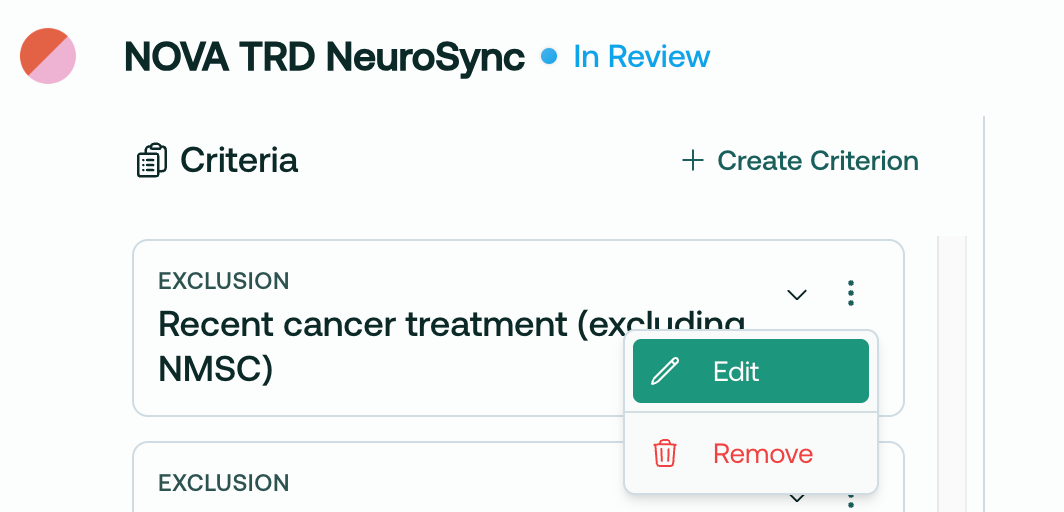
Say we’ve identified an I/E criteria that we know can’t be found in the patient’s chart, like this one:
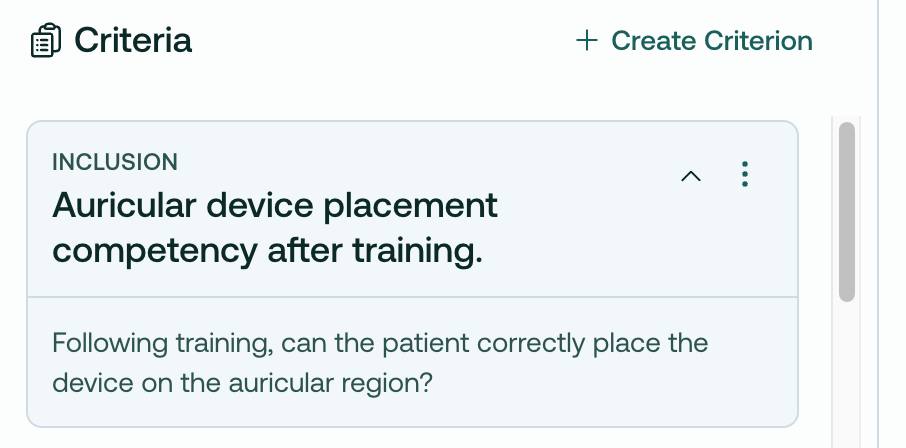
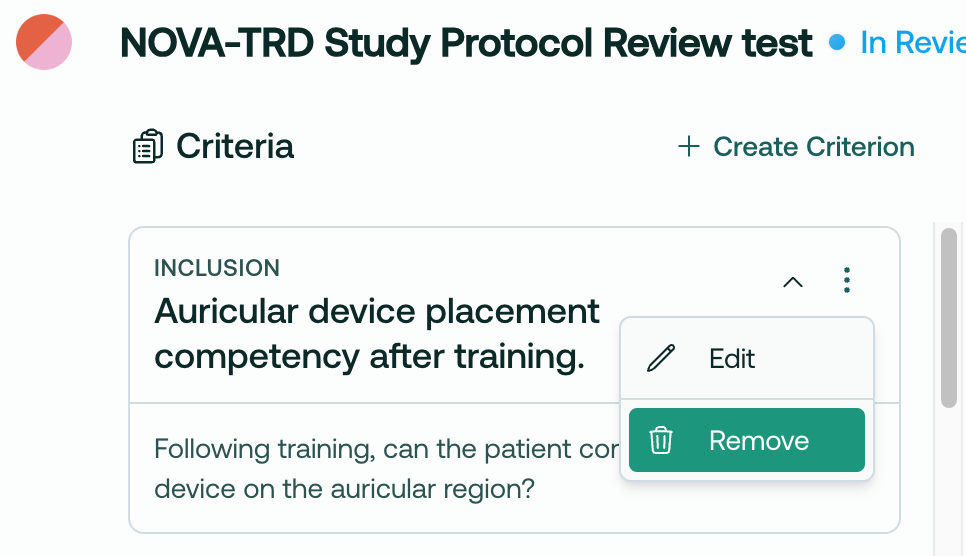
We can simply remove it:
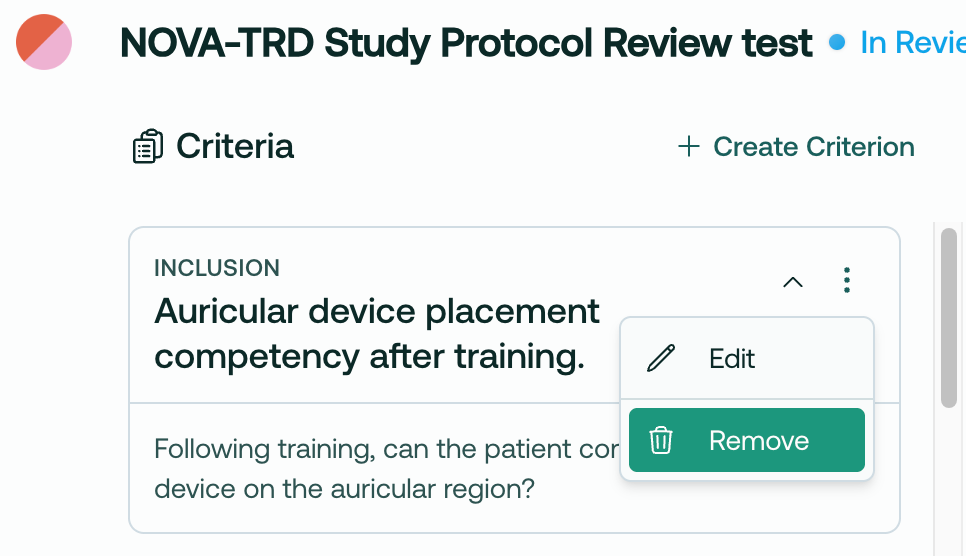
This cleans up your recruiting view, and also prevents the AI from attempting to match against impossible criterion.
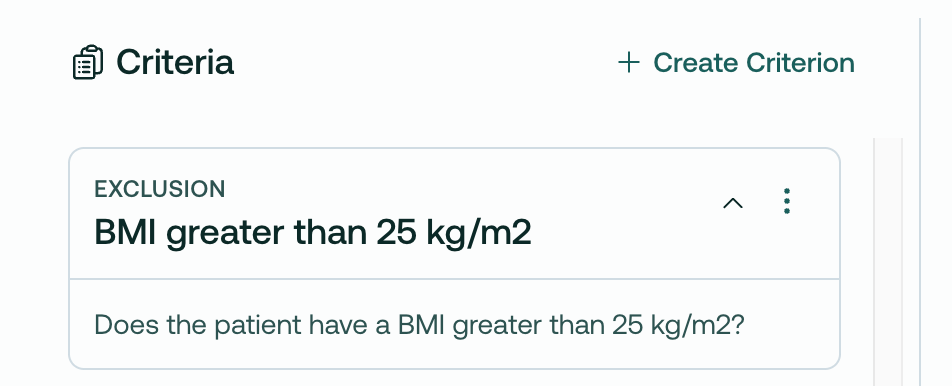
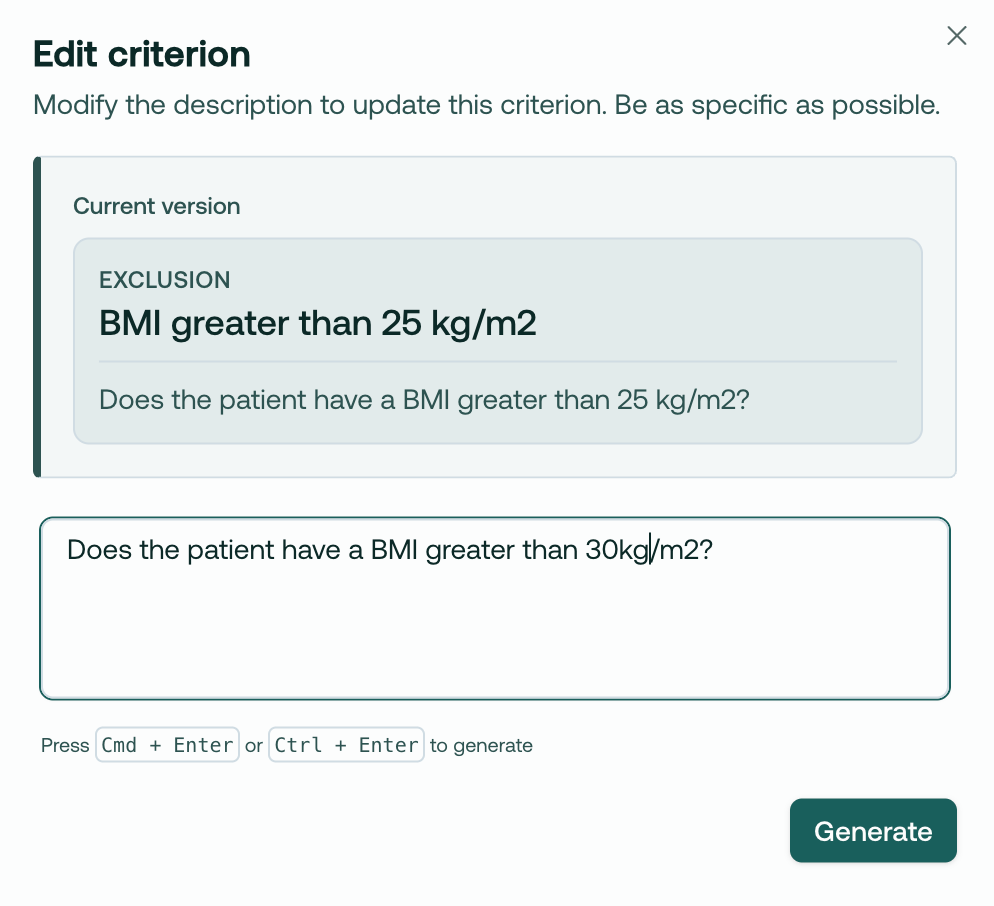
Or, imagine you’d like to edit a criteria. BMI can change, so you may want to loosen this, knowing you will get an up-to-date measurement at a future in-person visit:
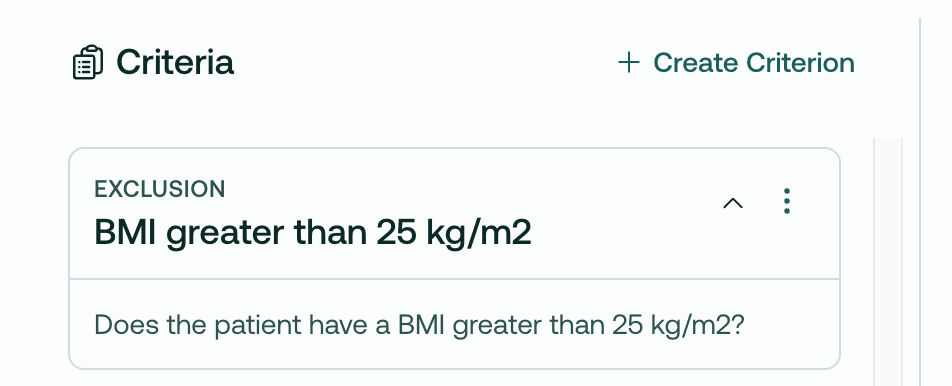
You can edit it directly in the app, like so:
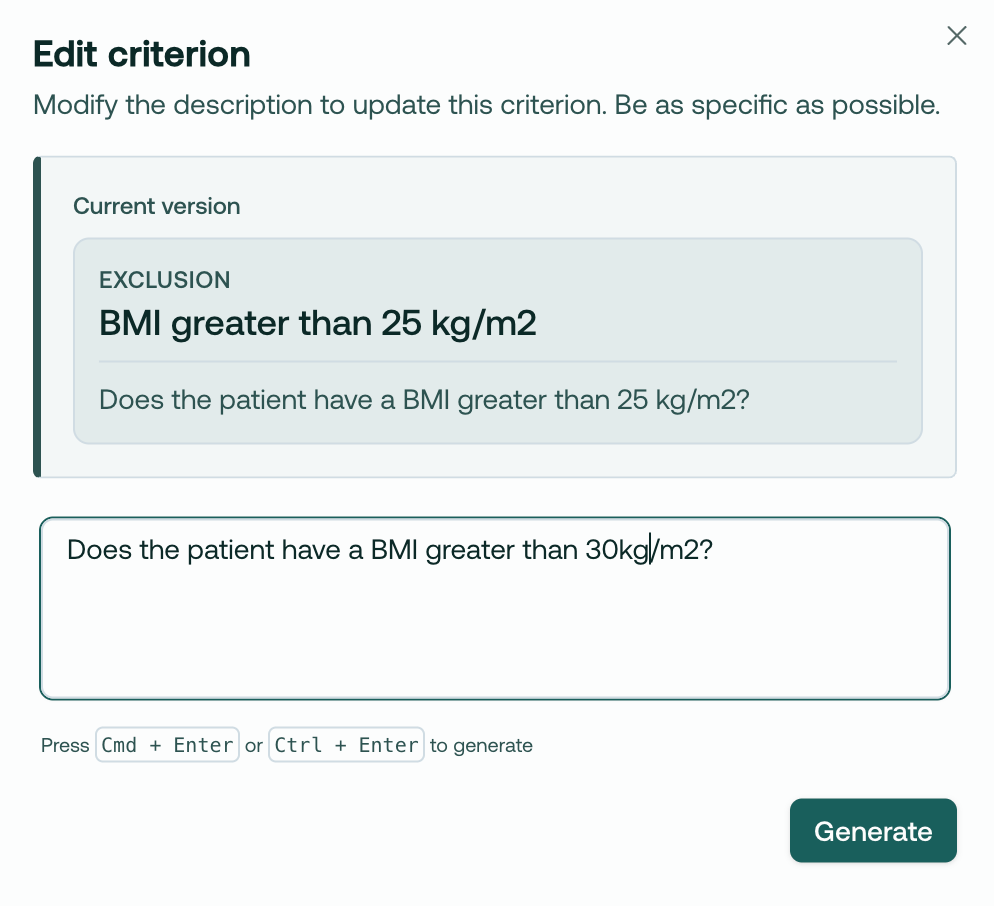
You can now add custom criteria to any protocol!

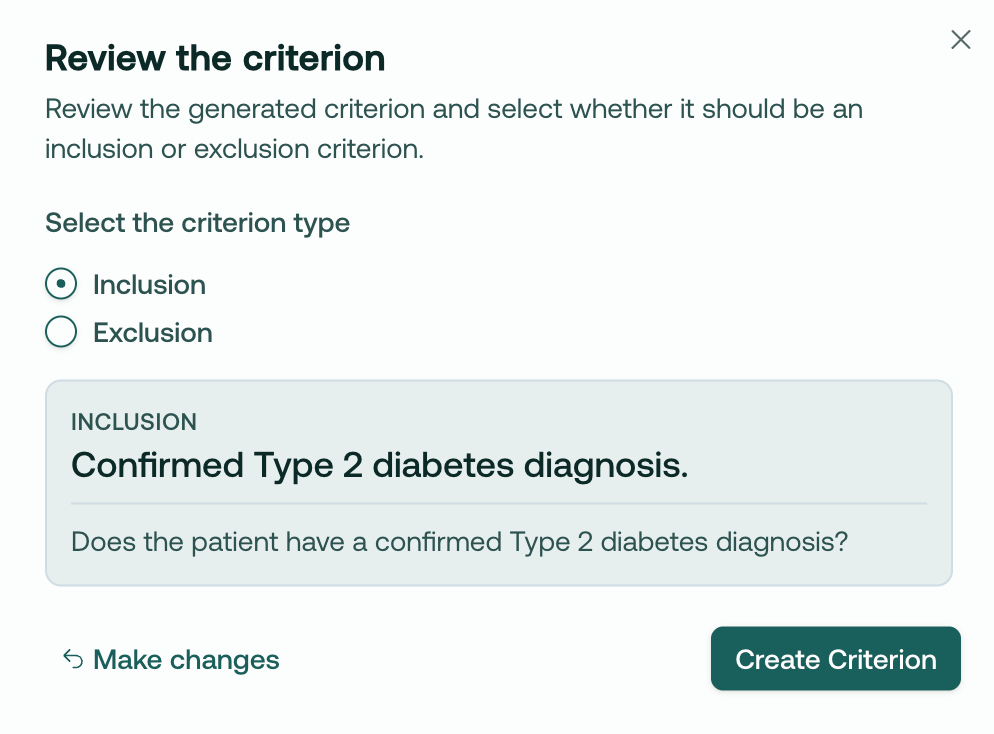
Simply click Create Criterion, then type in whatever criteria you want.
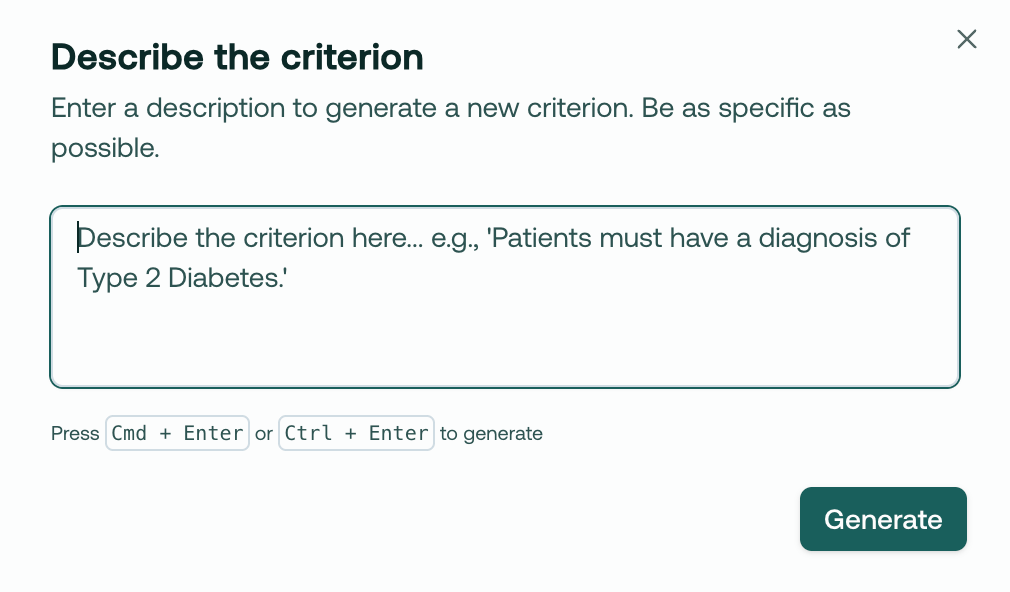
Our AI will create a valid I/E criteria based on your text:
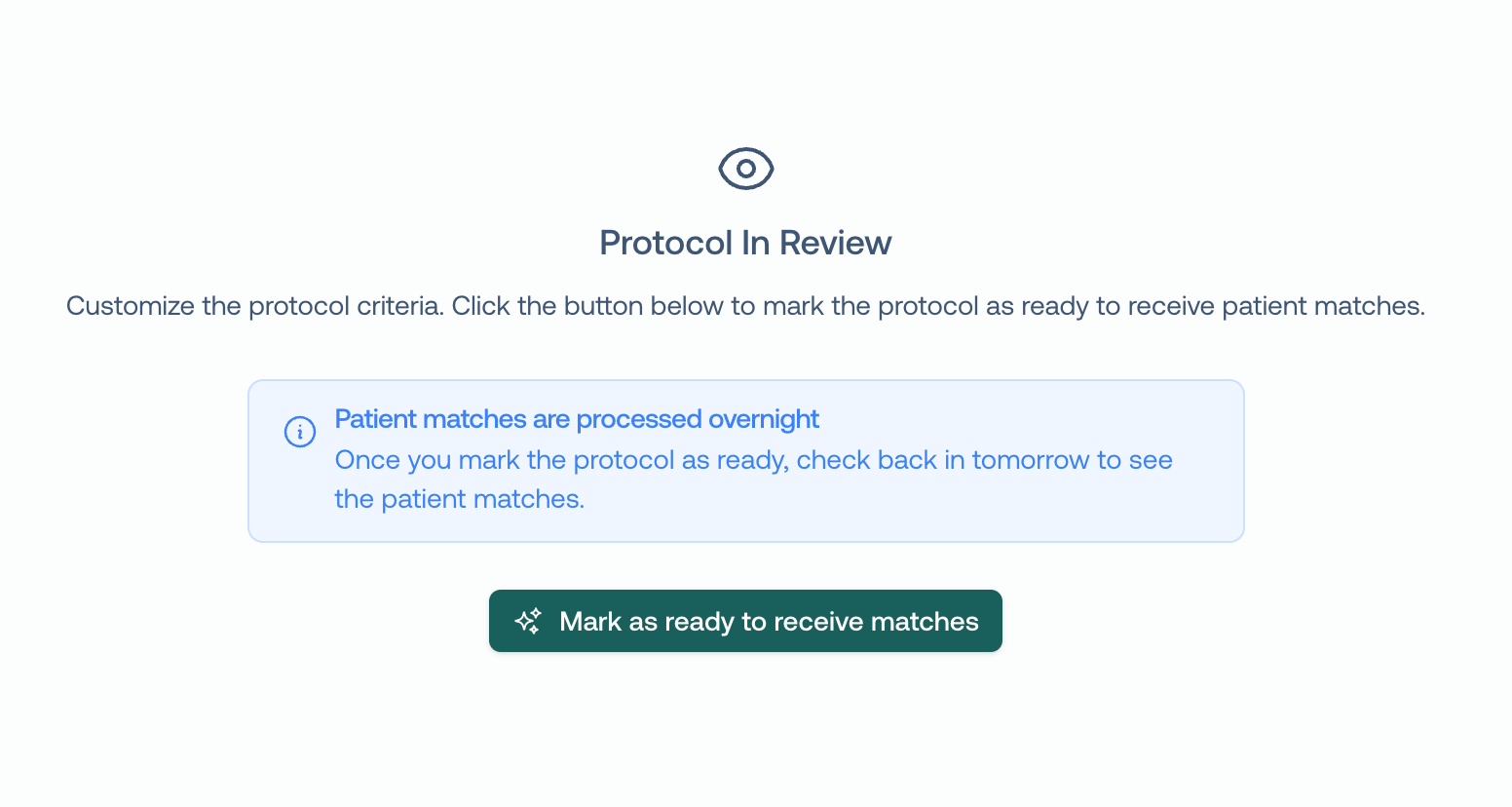
After you have successfully reviewed the protocol and are ready to match, click Mark as ready to receive matches. This will kick off the matching engine to begin finding patients that match your criteria! Right now, this is an overnight job, but later this month you will have matches streaming right away.
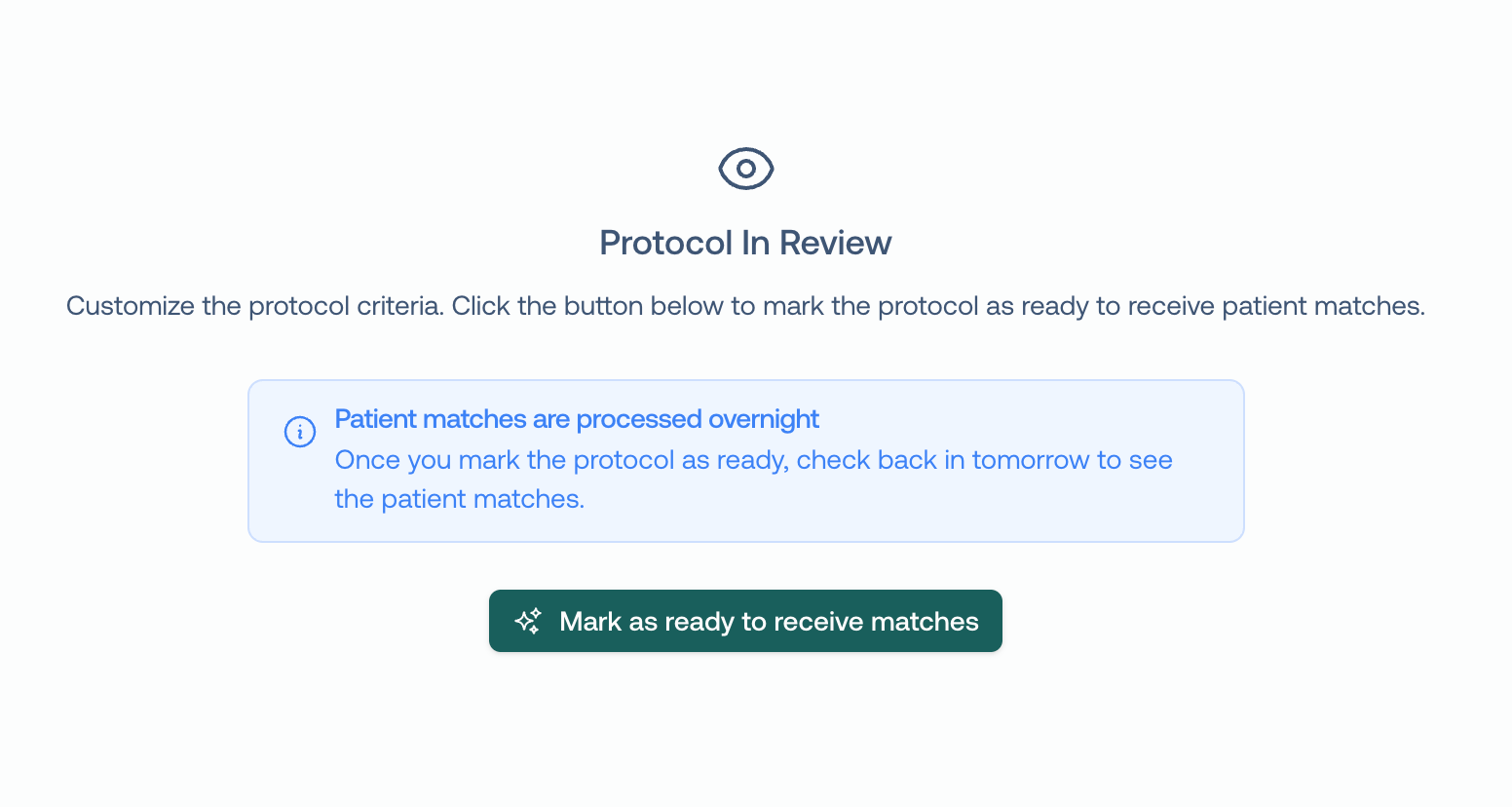
We hope this is a big unlock for your team’s ability to flexibly recruit for studies. We’d love to hear how you’re using it!
~Trevor @ Trially
Respond to this email, or book time with us here if you have any questions or would like a demo for your team.
May 20th, 2025

The Protocol Review feature allows clinical research staff to review, edit, and add trial criteria before patient matching begins.
Upload your protocol document using the "Upload Protocol" button
Wait 2-4 minutes for the system to process the document
Access the protocol when it shows "In Review" status
Review the AI-parsed criteria displayed under the protocol name
Edit criteria by clicking the edit icon (pencil) next to any criterion
Remove unwanted criteria using the remove icon (trash)
Add custom criteria by clicking "Create Criterion"
Finalize your review by sending the protocol to matching
This process allows you to customize your recruiting plan before patient matching begins.
When you upload a protocol, it will take 2-4 minutes to process into the system, and then be marked as In Review

During the Review process, you will have the option to edit and remove criteria to customize your recruiting plan.
Say we’ve identified an I/E criteria, that we know won’t be present in the EHR, like this one:

We can simply remove it:

Or, imagine we’d like to edit a criteria. BMI can change, so we may want to loosen this, knowing we can get an exact measurement at the screening visit:

We can edit it directly in the app, like so:

After we’ve reviewed the protocol and are ready to match, we click Mark as ready to receive matches. This will kick off the matching engine to begin finding patients that match your criteria!

This should significantly aid in your team’s ability to flexibly recruit for studies. We’d love to hear how you’re using it!
~Trevor
March 4th, 2025
New

Hi folks, and welcome to your product update from Trially!
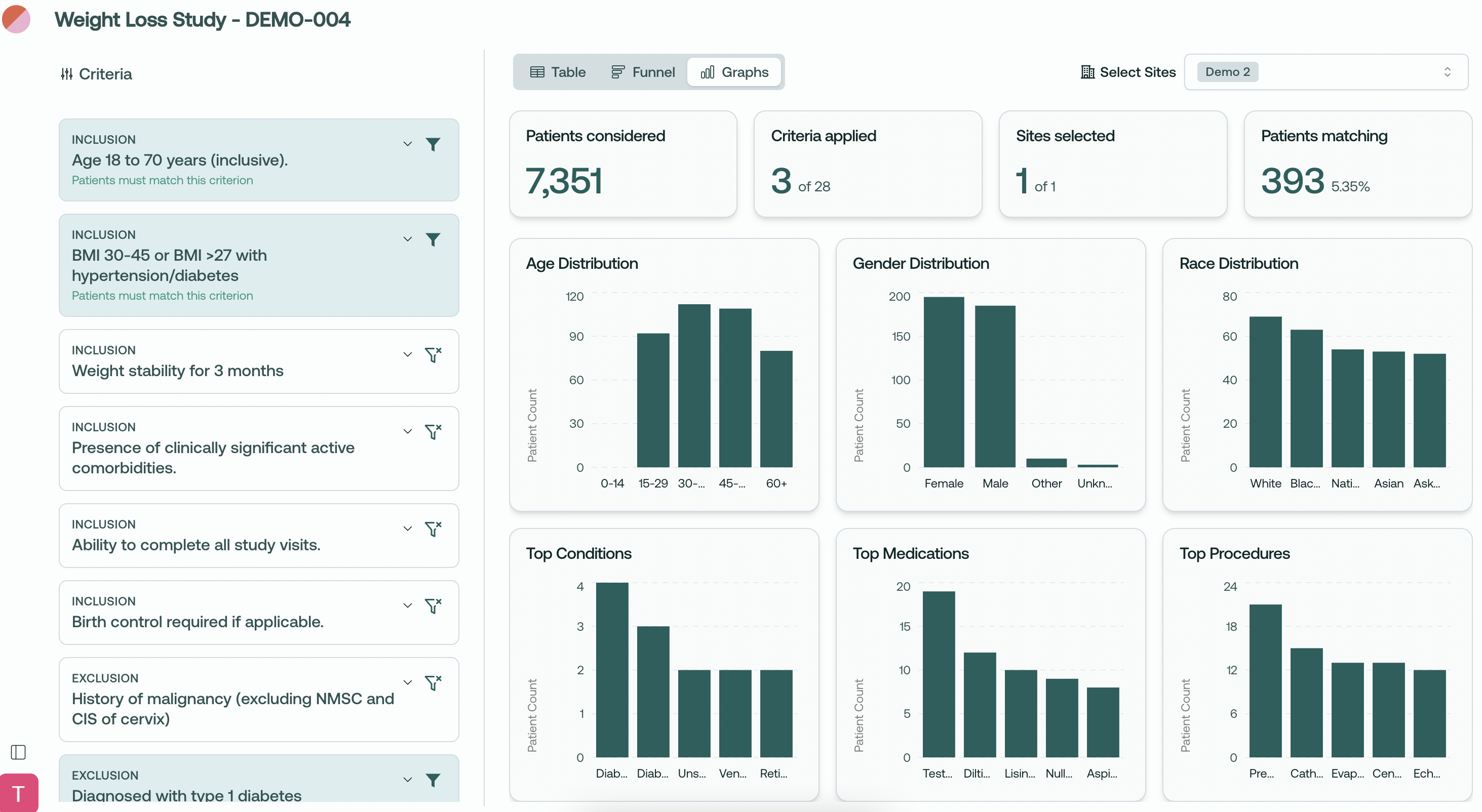
We're excited to introduce an update to our population analytics giving you deeper insights into your patient populations across multiple dimensions.
Comprehensive Data Visualization
View distribution charts for key patient demographics
Analyze your patient population through multiple visual perspectives
Toggle between Table, Funnel, and our new Graphs views
Demographic Insights
Age Distribution: See patient age breakdowns across standard age ranges
Gender Distribution: Understand gender representation in your potential trial population
Race Distribution: Analyze racial demographics for better diversity planning
Clinical Insights
Top Conditions: View most common comorbidities in your matching population
Top Medications: Identify prevalent medication usage among potential participants
Top Procedures: Analyze common medical procedures your patient pool has undergone
Multi-dimensional Analysis
Select and analyze patient populations across multiple sites
See how your inclusion/exclusion criteria affect different demographic groups
Get real-time metrics showing the impact on your eligible pool
At-a-glance Summary Statistics
Total patients considered
Active criteria applied
Sites selected with clear site counter
Final matching patient count with percentage
Assess diversity representation in your trial population
Evaluate demographic feasibility across sites
Make data-driven decisions about inclusion/exclusion criteria
Understand the clinical profile of your potential participants
Improve protocol feedback based on real population insights
What do you think about the new Graphs view? We'd love to hear how you're using these visualizations in your planning!
Thanks for all your feedback - please keep it coming!
~ Trevor @ Trially
January 23rd, 2025

We're thrilled to announce a couple of updates to Trially, incorporating new features and functionality enhancements to optimize user experience.
These features are fully operational and available immediately for use.
This new feature enables cross protocol matching in the patient-side panel.
Users can now view details about other protocols the patient might be ideally suited for.
This enhancement helps streamline the process of matching patients with the most appropriate protocols.
A new role designation for accessing identified data is now live.
Assign users access roles to manage segregation of sensitive patient data effectively.
Ensures compliance with data security regulations while enhancing operational transparency.
Users without the role won’t have access to the table view

We hope these updates significantly improve your interactions within Trially. As always, your feedback is invaluable to us, so please share your thoughts and impressions.
December 26th, 2024
New
Improved
Fixed

We've redesigned the navigation to make it easier to work with protocols and manage recruitment. The new sidebar provides a more streamlined experience for switching between protocols and accessing key features.
Hover your cursor to the left side of the screen to see the new side bar, manage protocols, and switch between active protocols!
Added a dialogue to better explain export-to-CSV
Resolved issue with deleting protocols
Removed Viewer access to managing protocols
Better explanation of user roles in your profile
Admin
Full management of sites and protocols
User access control and role management
Can edit core protocol details
Has full read/write permissions for sites and protocols
Must be added/removed by Trially staff at your request
Site Admin
Can add Viewers to sites and protocols
Manages protocols for their assigned sites
Sets filters for their assigned sites
Has read/write for sites but read-only for protocols
Viewer
Can view their assigned protocols
Can access patient matching functionality
Read-only permissions for both sites and protocols
Most restricted role with no write capabilities
No export
December 19th, 2024
New

Hi folks, and welcome to your product update from Trially!
We're thrilled to introduce our new Population Explorer Funnel View, designed to give you deeper insights into how inclusion/exclusion criteria affect your patient eligibility pools.
Watch your patient population flow through each criterion with real-time metrics showing the impact on your eligible pool.
Select and analyze patient populations across multiple sites simultaneously with our new consolidated view.
Total patients considered at each stage
Number of active criteria from your total criteria set
Sites selected with a clear site counter
Final matching patient count with percentage matches
Toggle criteria on/off to see immediate population impacts
Clear visibility of inclusion vs exclusion criteria
Patient count and percentage impacts at each funnel stage
Visual progress bars showing the relative impact of each criterion
Evaluate protocol feasibility across sites
Analyze patient populations across multiple sites
Make data-driven decisions about trial participation
Create and analyze different screening scenarios
Assess impact of inclusion/exclusion criteria across the population
Create custom criteria on the fly
Demographics and general population graphs
Drag-and-drop criterion reordering
What do you think about the Funnel view? We’d love to hear how you plan to use it!
Thanks for your feedback - please keep it coming!
~ Trevor @ Trially
December 6th, 2024

Hi Trially users!
We're excited to introduce our new Admin Panel, designed to give you better control over user management and site access. Here's what's new:
We've introduced three user roles to help you manage your team more effectively:
Full system access across all sites
Can manage all users, protocols, and site settings
Exclusive ability to edit protocol details and delete protocols
Can assign users to any site
Can set filters for protocols at all sites
Site-specific management capabilities
Can invite and manage Viewers for their assigned sites
Can upload protocols and manage protocol for sites they have access to
Cannot edit core protocol details or delete protocols
Can set filters for protocols at their assigned sites for Viewers
Read-only access to assigned sites
Can view protocols, team members, and patient matching
No editing capabilities
Cannot set filters on/off
Access the new Team page through your profile dropdown menu
Easily invite new team members by email
Assign multiple sites to any user
Manage existing users:
Edit their roles and site access
Remove users when needed
Re-invite users who haven't accepted their invitations
Admins: Full control over all protocols across sites
Site Admins: Upload and manage protocols for their assigned sites
Enhanced site assignment system for protocols
CSV export functionality for Admins and Site Admins
Granular control over which sites users can access
Mix-and-match site assignments for flexible team management
Clear visibility of user permissions and assigned sites
Log in with your Admin credentials
Visit the Team page through your profile dropdown
Start inviting team members and assigning roles
Manage site access based on your team's needs
Thanks for using Trially! As always, we welcome your feedback and suggestions.
~ Trevor @ Trially
November 26th, 2024

Hi folks, and welcome to a brief product update from Trially!
Here's what's new in v0.0.41:
Patient Notes: Add notes to match details!
Notes are shared across team members with access to patient information.
Add details about calls, follow-ups, or anything else that might be valuable.
Do Not Call (DNC) Feature: Added a new DNC indicator for patients, making it easier to track contact preferences right from the patient table.
Improved Table UI:
Added clear table titles with optimized spacing
Streamlined the filters interface for better usability
Enhanced the protocols page with a better filtering experience
Upload Protocol Enhancement: Fixed padding issues in the upload modal and improved file icon presentation.
Thanks for all your feedback - please keep it coming!
~ Trevor @ Trially
November 13th, 2024
Improved
Fixed

Hi folks, and welcome to a brief product update from Trially!
Here’s the list of changes and improvements to the app in v0.0.40:
Added Site filter to recruitment page for multi-site filtering on the patient table
Sorted patient match details to align with the order of criteria cards
Improved criteria cards to show summarized titles by default with expandable details
Protocol status indicators with color-coding and tooltips
Renamed "Status" column to "Recruiting" with Active/Inactive values
Moved protocol related editing actions (Download/Edit/Remove) to ellipsis menu
Changed "% met criteria" tooltip text for clarity
Simplified feedback widget and fixed authentication issue
Thanks for all your feedback, please keep it coming!
~ Trevor @ Trially
October 24th, 2024
Improved
Fixed

Hi folks, and welcome to a brief product update from Trially!
Small updates - no major changes today, but wanted to keep you in the loop.
Replaced criteria card toggle icons with filter icons and added messages to more clearly explain how criteria cards work:
When a criteria card is turned on, you will see patients in the table who at least match that criteria.
When a criteria card is turned off, you will see patients in the table who may or may not match that criteria.
New "Last Match" column shows how recently patients were matched for in the recruiting table
DOB display fix for match details
Improved login/logout information and screens
Improved multi-site data handling
Various performance and stability improvements
Keep the feedback coming :)
~Trevor @ Trially