
Changelog

Follow new updates and improvements to Trially.

New features: Add custom criteria, edit/remove criteria
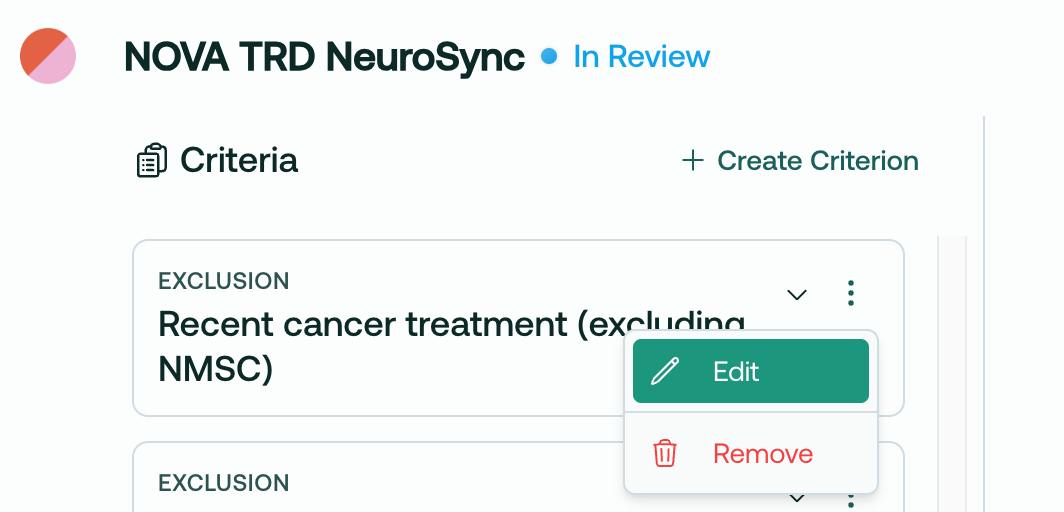
Trially Site Admins and Admins can now edit, remove and add custom I/E criteria!

Overview

  1. Upload your protocol document

  2. Wait 2-4 minutes for the AI to parse and process the document

  3. Open the protocol in the Main page

  4. Review the AI-parsed criteria

  5. Edit criteria, remove unwanted criteria, and add custom criteria

  6. Voila! Finalize your review by sending the protocol to the matching engine!

This process allows you to customize your recruiting plan before patient matching begins.


Details

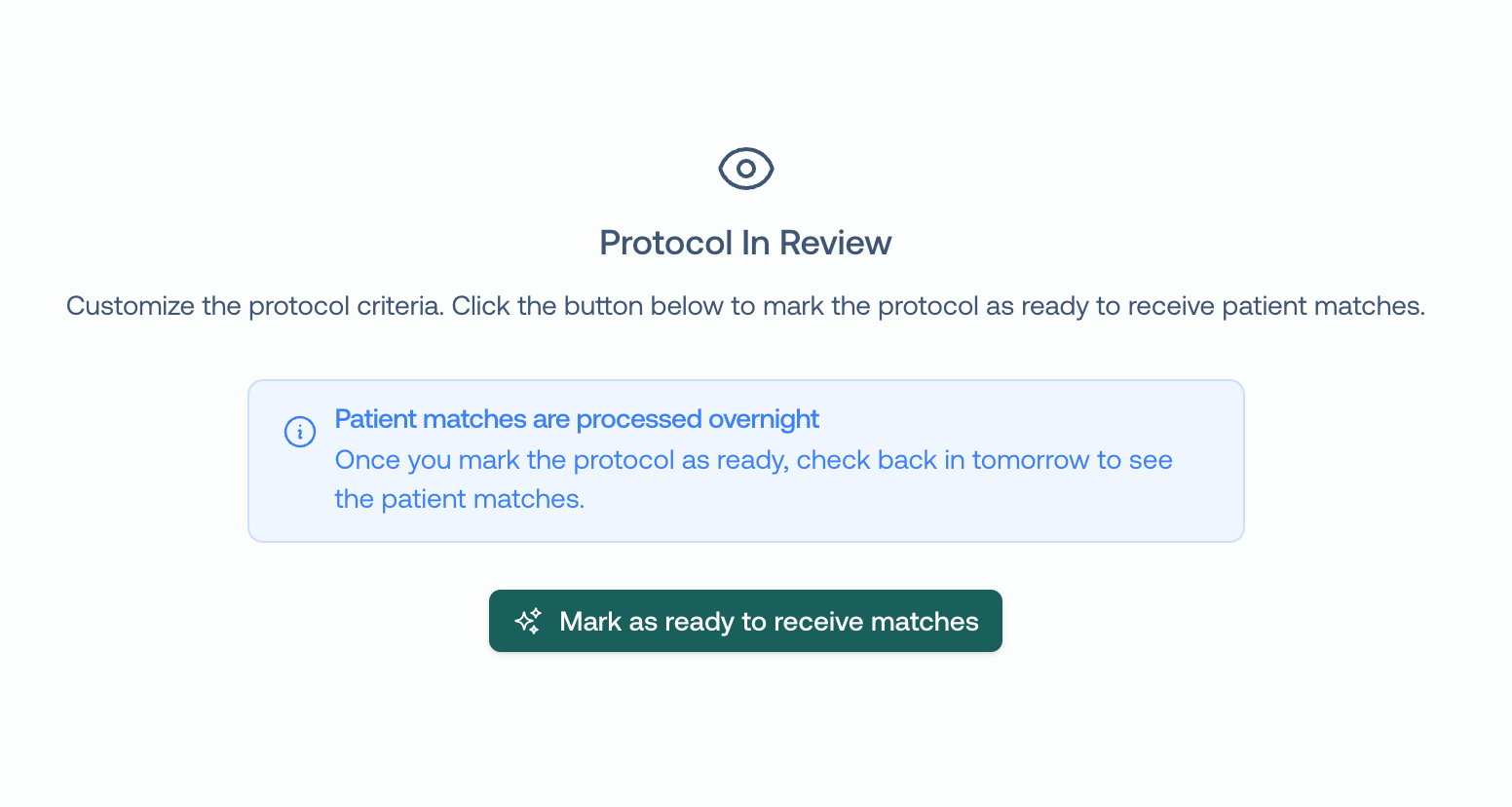
When you upload a protocol, it will take 2-4 minutes to process into the system, and then be marked as In Review:
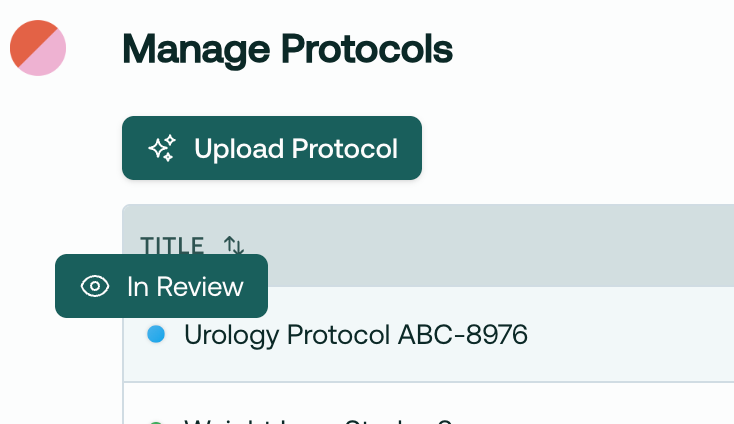
Then, simply hop over to the Main page and select this protocol. You will have the option to edit, remove, and add criteria to customize your recruiting plan on the main page.

Remove criteria

Say we’ve identified an I/E criteria that we know can’t be found in the patient’s chart, like this one:
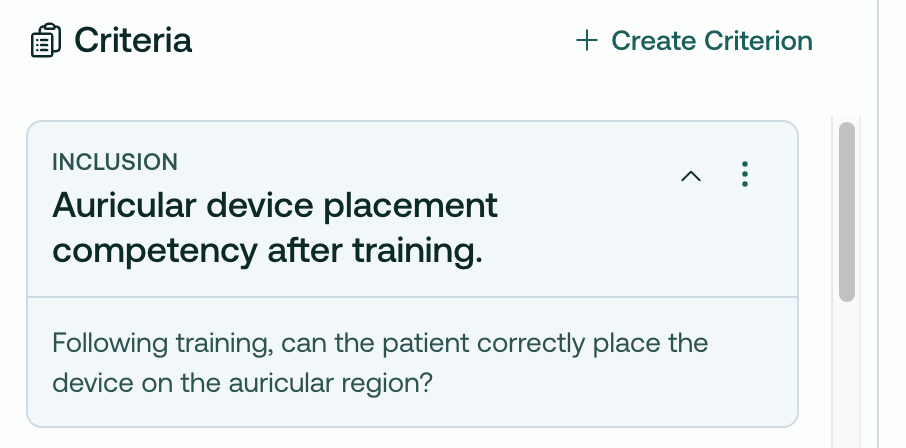
We can simply remove it:
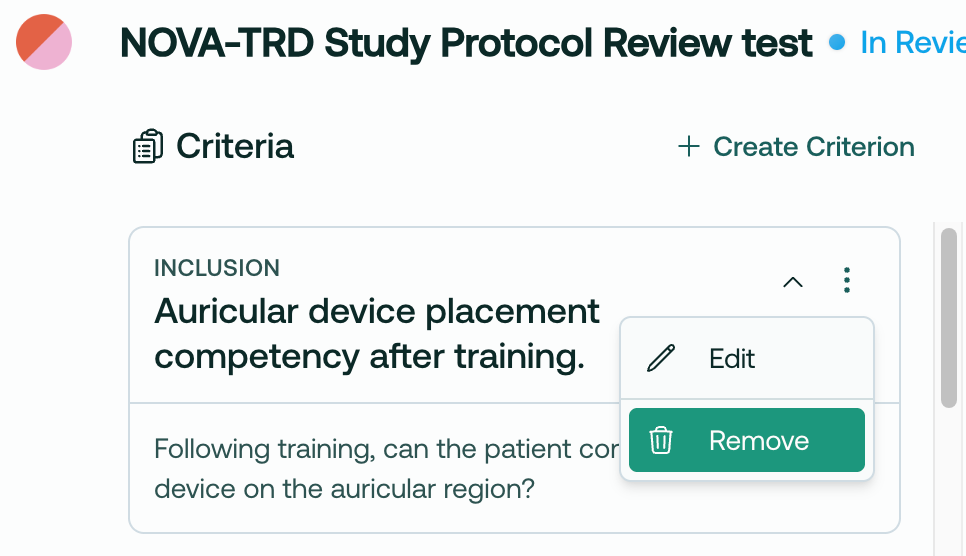
This cleans up your recruiting view, and also prevents the AI from attempting to match against impossible criterion.

Edit criteria

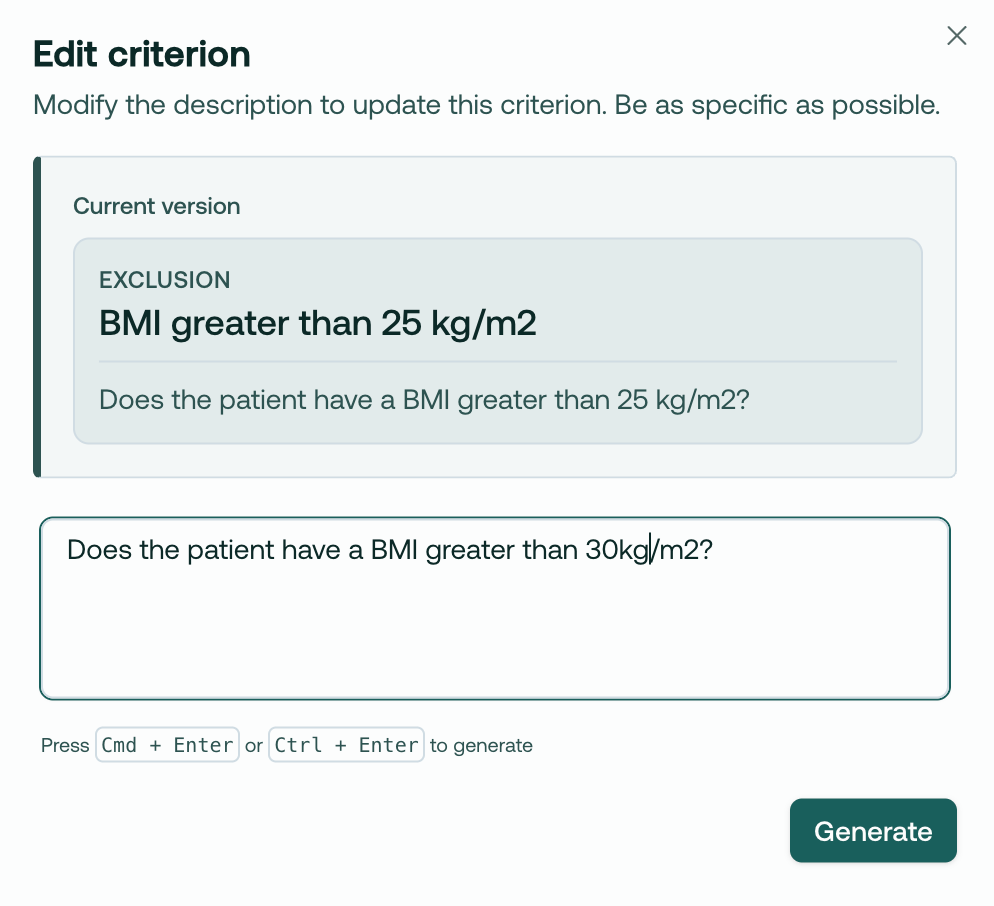
Or, imagine you’d like to edit a criteria. BMI can change, so you may want to loosen this, knowing you will get an up-to-date measurement at a future in-person visit:
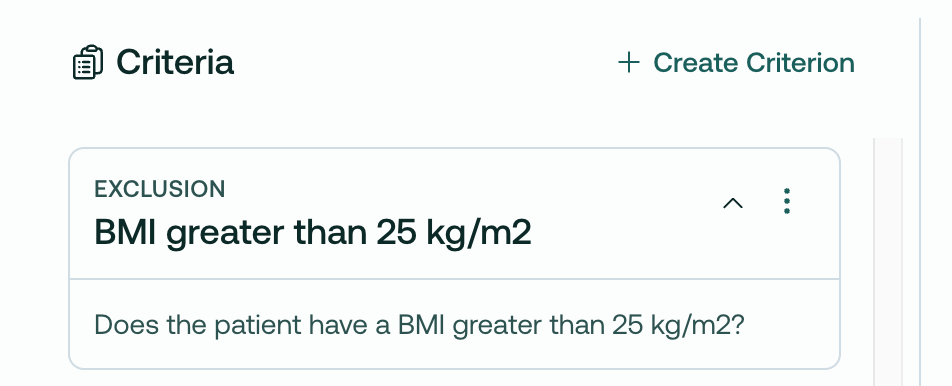
You can edit it directly in the app, like so:
Create custom criteria

You can now add custom criteria to any protocol!

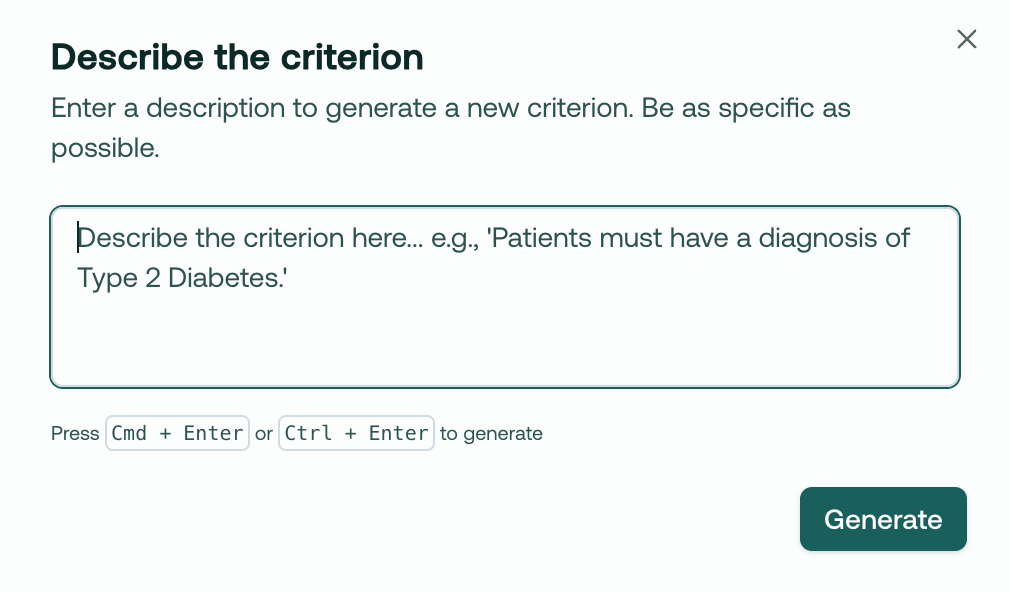
Simply click Create Criterion, then type in whatever criteria you want.
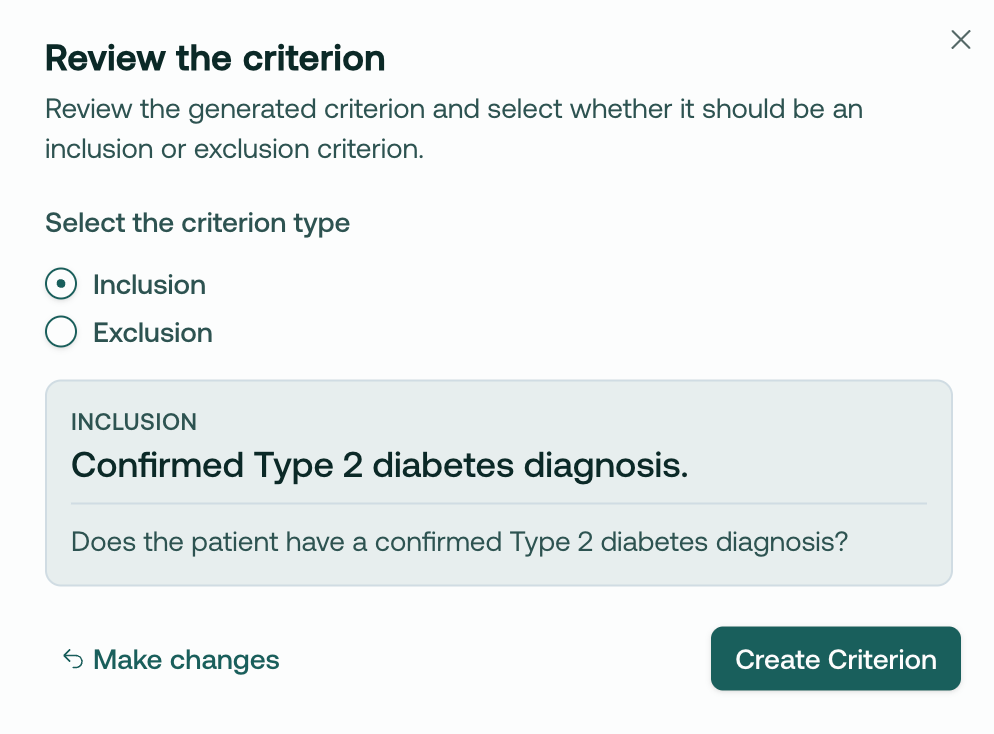
Our AI will create a valid I/E criteria based on your text:

Complete the review, and begin matching!

After you have successfully reviewed the protocol and are ready to match, click Mark as ready to receive matches. This will kick off the matching engine to begin finding patients that match your criteria! Right now, this is an overnight job, but later this month you will have matches streaming right away.
We hope this is a big unlock for your team’s ability to flexibly recruit for studies. We’d love to hear how you’re using it!

~Trevor @ Trially

Respond to this email, or book time with us here if you have any questions or would like a demo for your team.
New

Population Analytics Dashboard: Graphs View Now Live!

Hi folks, and welcome to your product update from Trially!

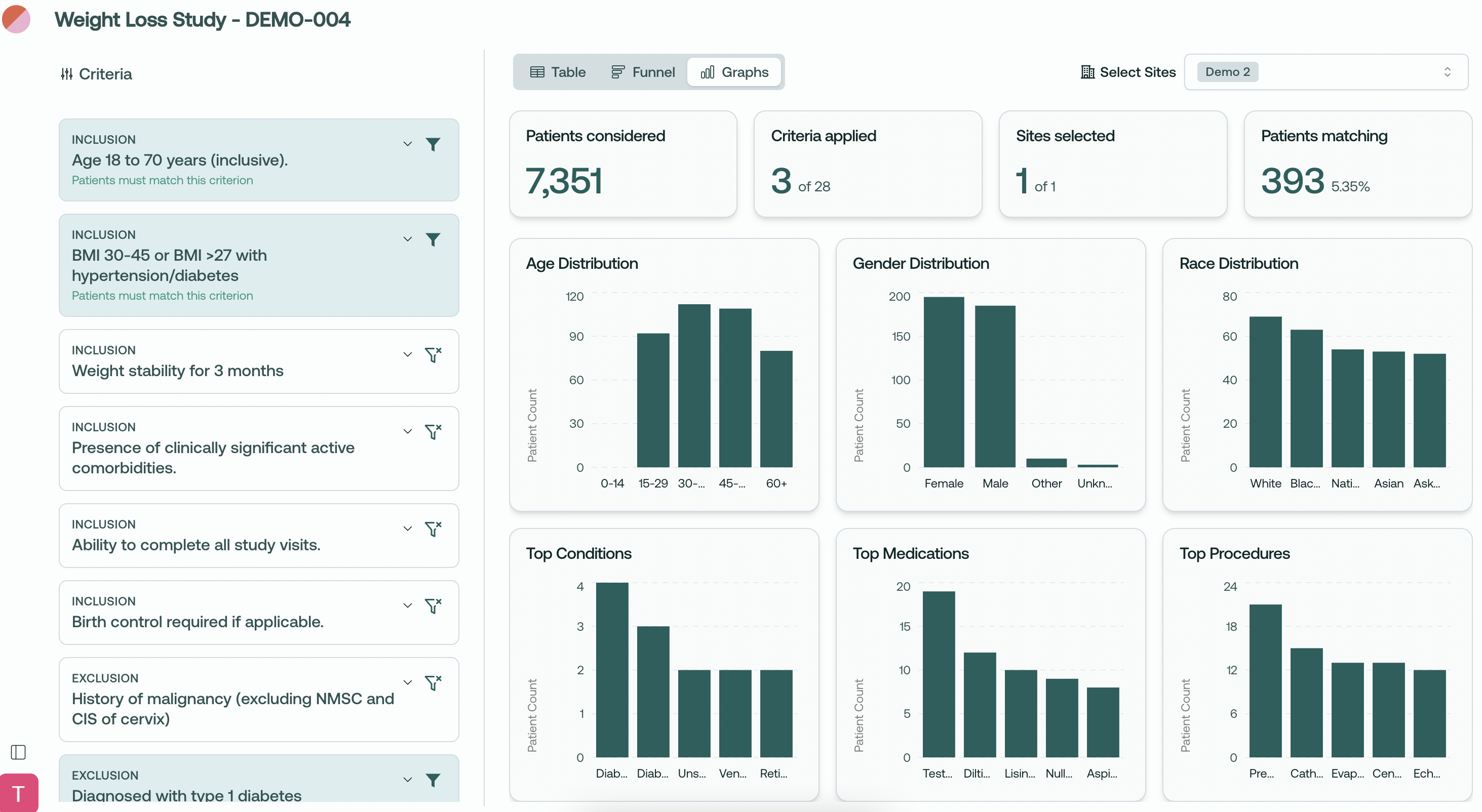
We're excited to introduce an update to our population analytics giving you deeper insights into your patient populations across multiple dimensions.

Here's what's new:

Comprehensive Data Visualization

  • View distribution charts for key patient demographics

  • Analyze your patient population through multiple visual perspectives

  • Toggle between Table, Funnel, and our new Graphs views

Demographic Insights

  • Age Distribution: See patient age breakdowns across standard age ranges

  • Gender Distribution: Understand gender representation in your potential trial population

  • Race Distribution: Analyze racial demographics for better diversity planning

Clinical Insights

  • Top Conditions: View most common comorbidities in your matching population

  • Top Medications: Identify prevalent medication usage among potential participants

  • Top Procedures: Analyze common medical procedures your patient pool has undergone

Multi-dimensional Analysis

  • Select and analyze patient populations across multiple sites

  • See how your inclusion/exclusion criteria affect different demographic groups

  • Get real-time metrics showing the impact on your eligible pool

At-a-glance Summary Statistics

  • Total patients considered

  • Active criteria applied

  • Sites selected with clear site counter

  • Final matching patient count with percentage

Use Cases

  • Assess diversity representation in your trial population

  • Evaluate demographic feasibility across sites

  • Make data-driven decisions about inclusion/exclusion criteria

  • Understand the clinical profile of your potential participants

  • Improve protocol feedback based on real population insights

What do you think about the new Graphs view? We'd love to hear how you're using these visualizations in your planning!

Thanks for all your feedback - please keep it coming!

~ Trevor @ Trially

New

New side bar and small fixes

Complete navigation redesign

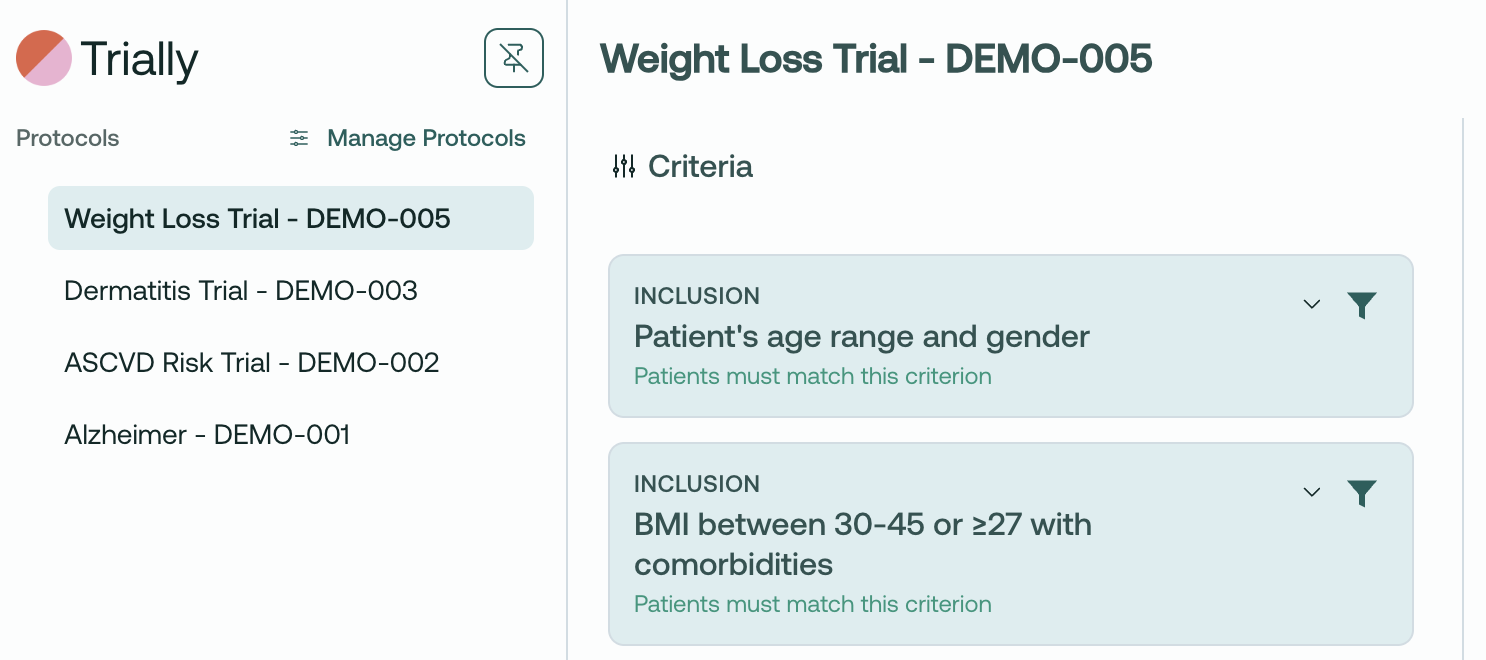
We've redesigned the navigation to make it easier to work with protocols and manage recruitment. The new sidebar provides a more streamlined experience for switching between protocols and accessing key features.

Hover your cursor to the left side of the screen to see the new side bar, manage protocols, and switch between active protocols!

Other fixes

  • Added a dialogue to better explain export-to-CSV

  • Resolved issue with deleting protocols

  • Removed Viewer access to managing protocols

  • Better explanation of user roles in your profile


Complete user roles, updated

Admin

  • Full management of sites and protocols

  • User access control and role management

  • Can edit core protocol details

  • Has full read/write permissions for sites and protocols

  • Must be added/removed by Trially staff at your request

Site Admin

  • Can add Viewers to sites and protocols

  • Manages protocols for their assigned sites

  • Sets filters for their assigned sites

  • Has read/write for sites but read-only for protocols

Viewer

  • Can view their assigned protocols

  • Can access patient matching functionality

  • Read-only permissions for both sites and protocols

  • Most restricted role with no write capabilities

  • No export

NewImprovedFixed

Earlier updates